

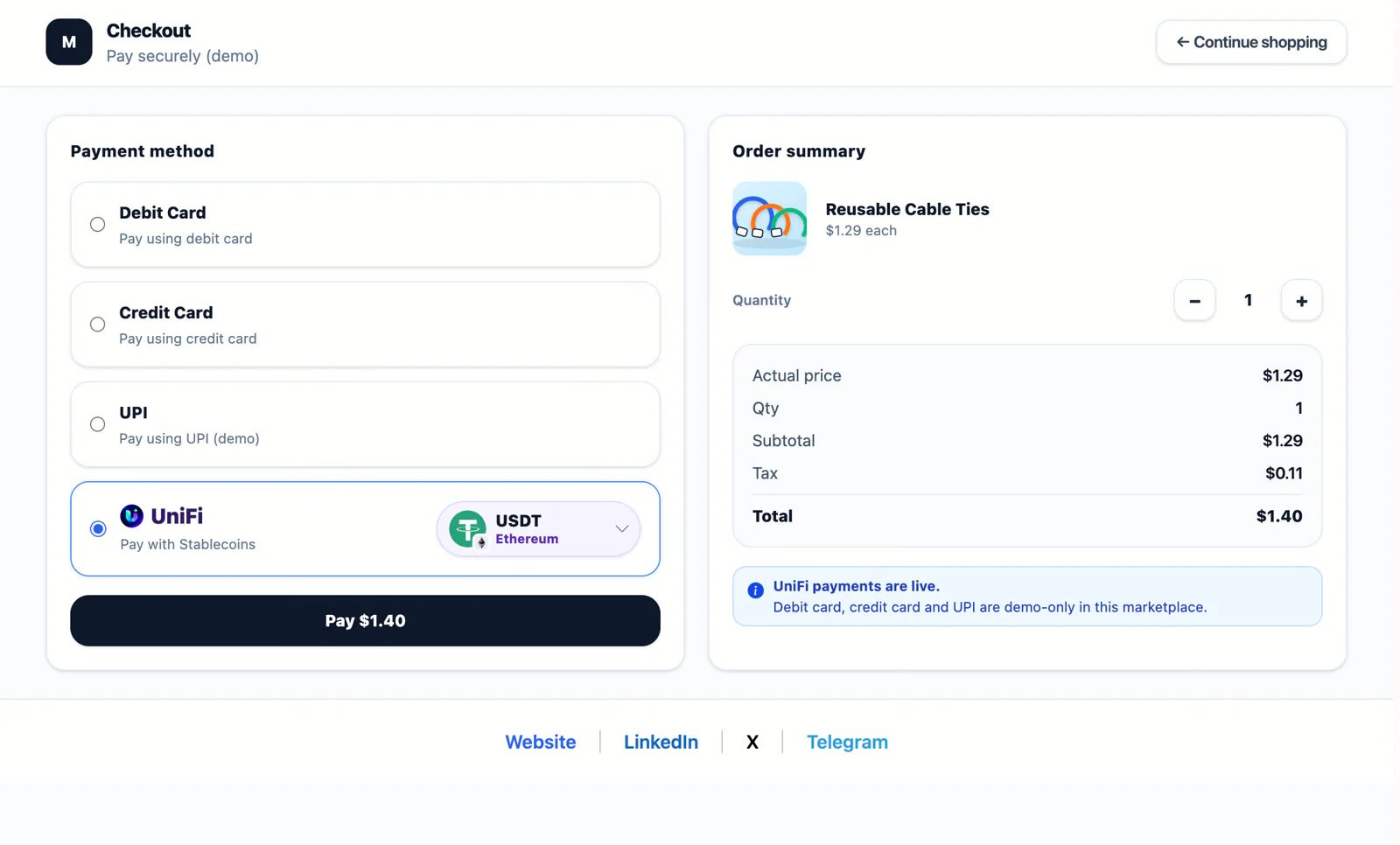
UniFi embedded beside the payment methods and order summary in FliQ Market.
Quickstart
Install the package, add the server proxy, and open your first payment.
React components
Use a complete widget or compose UniFi into an existing payment-method UI.
Headless TypeScript
Build sessions, hosted checkout links, status checks, and receipt links without React.
FliQ Market example
Follow a working merchant integration from product selection to payment reconciliation.
Choose an integration path
The core package and React components never read the API key. The server entry point is the only
layer allowed to access
UNIFI_API_KEY.
How the pieces fit
MERCHANT_WALLET_ADDRESS is public merchant configuration passed to the widget as recipient.
PAYMENT_STATUS_POLL_INTERVAL is optional public application configuration for automatic session
checks. UNIFI_API_KEY is a secret and must stay behind the server proxy.Checkout lifecycle
1
Create the merchant order
Store your order ID and the expected amount, asset, network, recipient, and expiry in your own
database. Do not trust pricing supplied only by the browser.
2
Create a UniFi payment session
createUniFiPayment generates a random 64-character hexadecimal session ID and the hosted
checkout URL. Record that session ID against the order.3
Send the payer to UniFi
Open the hosted checkout with the exact order details. The payer connects a wallet, completes
Permit2 approval if required, and signs the short-lived payment authorization.
4
Check through your proxy
The merchant browser requests
/api/unifi/payment/merchant/session/:sessionId. The same-origin
server proxy validates the route and adds the API key server-side. Checks are manual by default;
a merchant can opt into a fixed automatic cadence with statusPollIntervalMs.5
Track finality and fulfil
Store the detected receipt ID with the order, check its receipt status immediately, and refresh
non-terminal states every 15 minutes or when the customer requests a manual check. Keep
Processing and Confirmed in progress; confirm and fulfil the order only after Finalized.Supported payment pairs
- Assets: USDT, USDC, and DAI
- Networks: Ethereum, Polygon, and Sepolia
Secure the server boundary
Configure secrets, proxy routing, same-origin requests, and explicit CORS exceptions.
Operate the lifecycle
Handle pending, paid, failed, expiry, receipts, persistence, and chain finality.