FliQ Market is a lightweight marketplace that places UniFi beside card and UPI options. UniFi payments are live; the other methods are deliberately demo-only. Use Sepolia when exercising the public example.

Open the live demo

Run the checkout flow in the deployed FliQ Market application.

Read the source

Inspect the React checkout, Cloudflare Pages Function, and deployment scripts.

Complete payment journey

The landing page uses FliQ Market to show the full reference flow—from browsing a product through receipt finality and order fulfillment. The merchant keeps ownership of the checkout and order, while the widget supplies the reusable UniFi payment, status, and receipt experience.
1

Browse FliQ Market

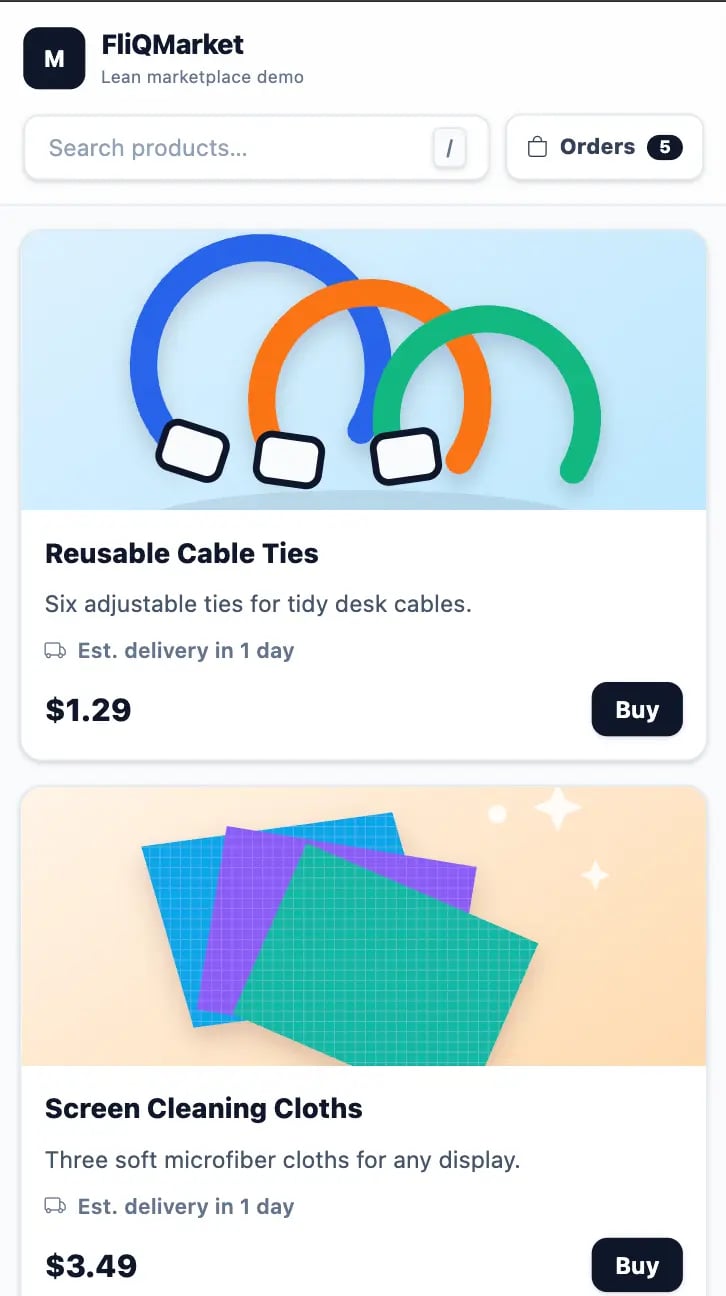
Start with a product and continue into the merchant checkout. Product details, pricing, delivery estimates, and cart behavior remain application-owned.
FliQ Market mobile storefront showing products with prices, delivery estimates, and Buy actions

Start with a product in the FliQ Market storefront.

2

Select UniFi at checkout

UniFiPaymentOption joins the same payment-method group as card and UPI. The merchant still owns quantity, tax, the trusted order total, the primary Pay button, and completion UI.
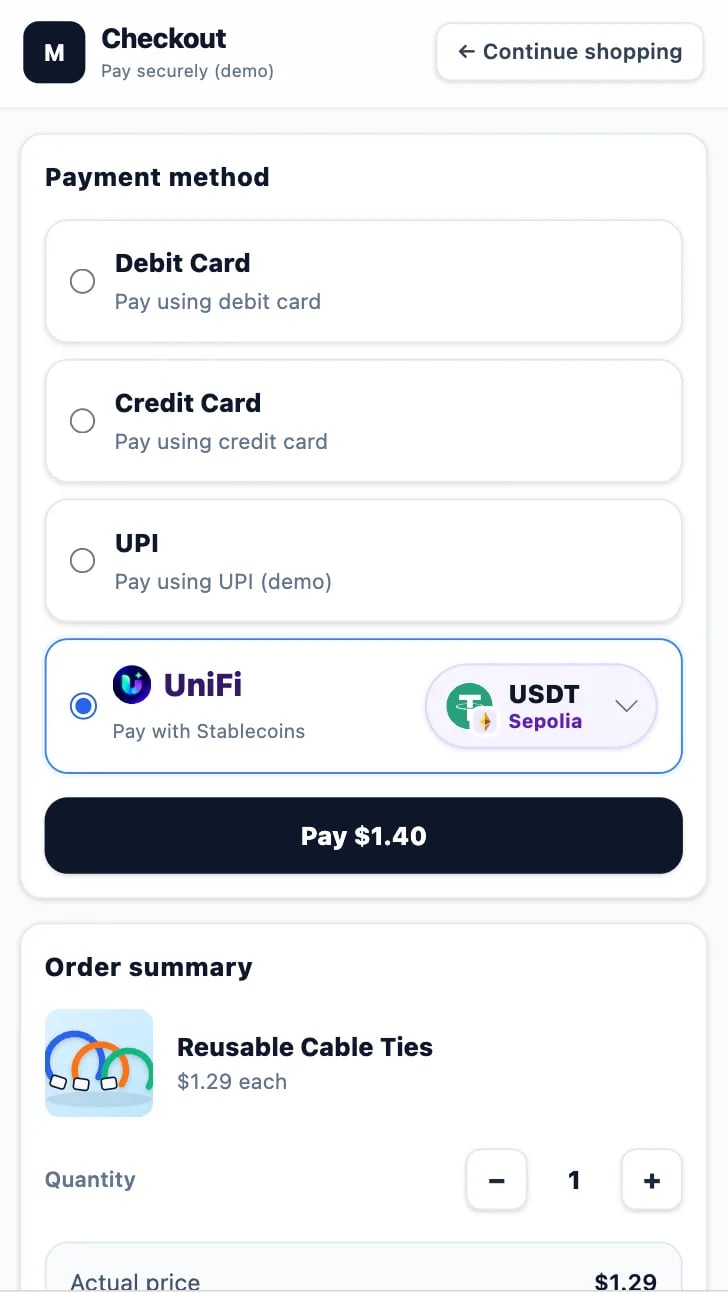
FliQ Market mobile checkout with UniFi selected beside card and UPI payment methods

Choose UniFi beside familiar payment methods without leaving the merchant checkout.

3

Choose asset & network

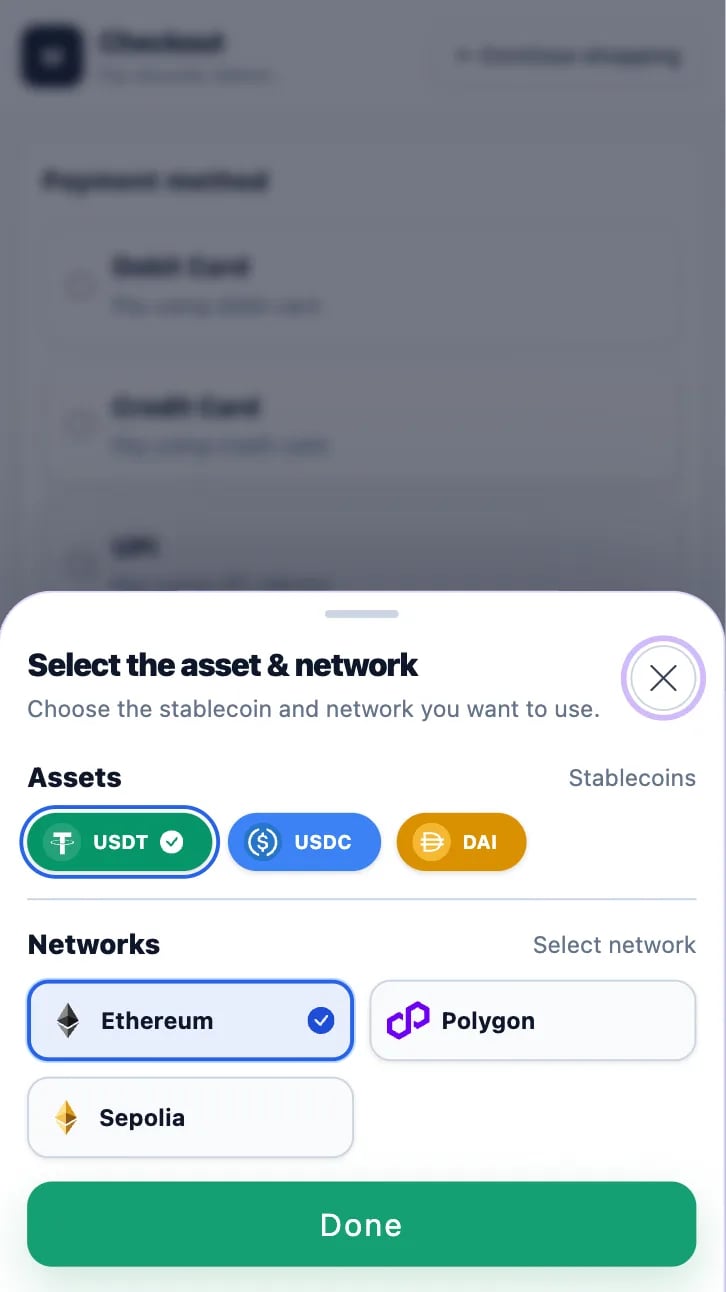
The widget’s responsive picker offers USDT, USDC, and DAI across Ethereum, Polygon, and Sepolia. Confirming the sheet returns the exact pair to the host checkout.
FliQ Market asset and network picker for USDT, USDC, DAI, Ethereum, Polygon and Sepolia

Keep asset and network selection inside the merchant checkout.

4

Authorize with UniFi

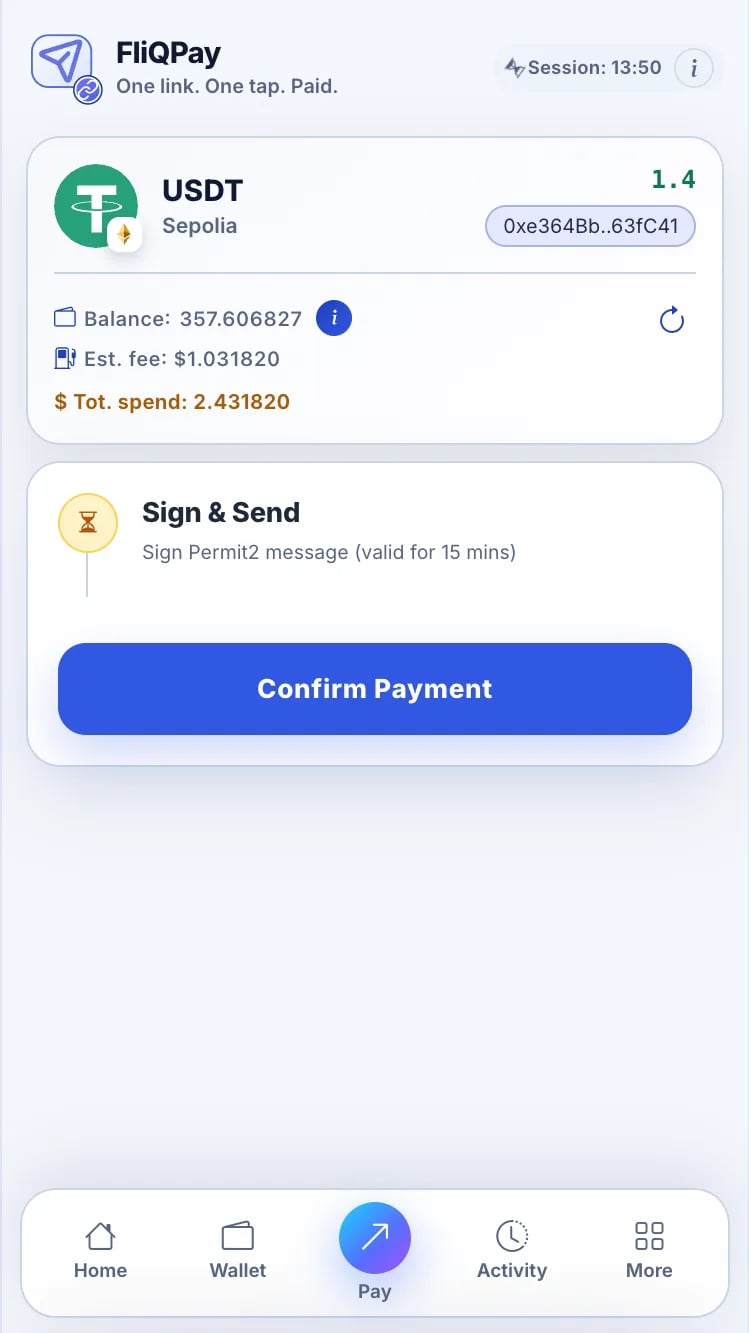
When the customer presses Pay, FliQ Market starts a payment with the selected pair, trusted order total, and configured merchant wallet. UniFi opens the hosted flow with the exact amount, recipient, and selected pair.
UniFi hosted payment screen ready for the payer to confirm a USDT payment

Authorize the payment in UniFi's hosted payment flow.

5

Submit the payment

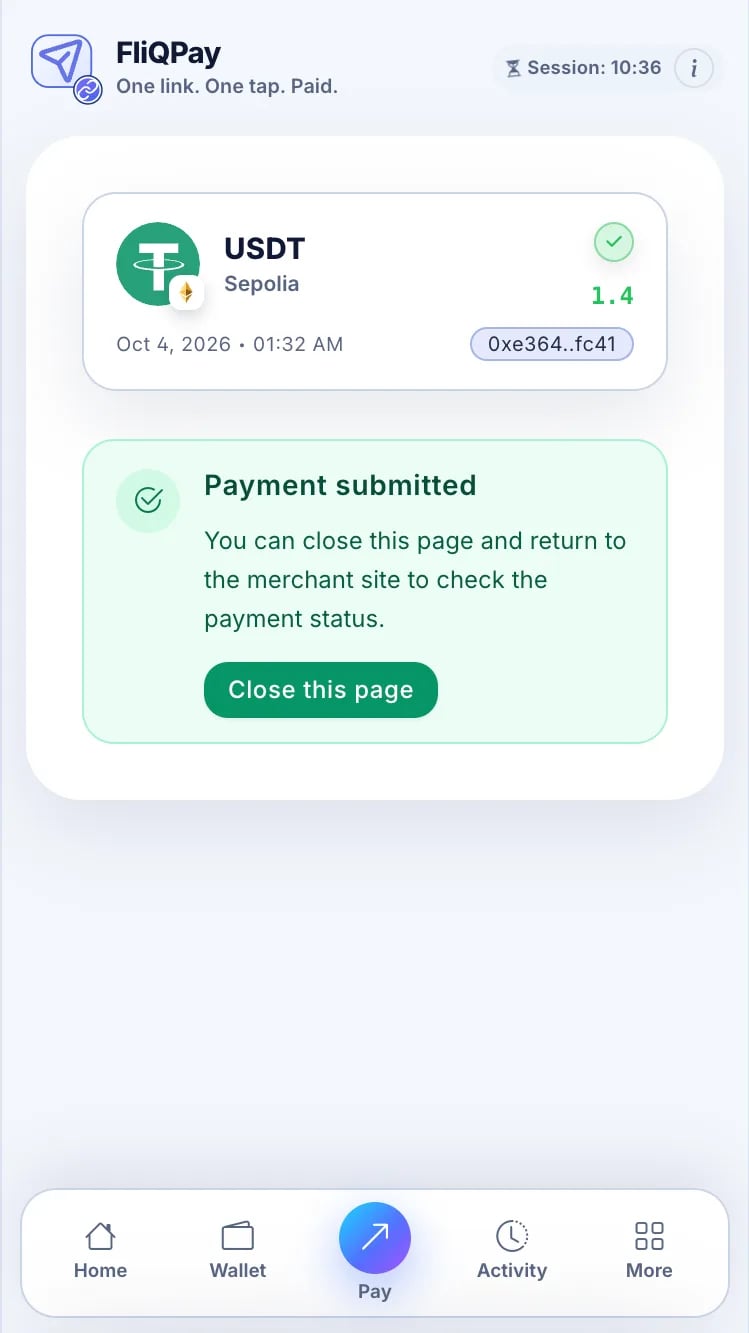
UniFi reports when the payment has been submitted and lets the payer return to FliQ Market. Submission is an intermediate state; it does not mean the payment is finalized on-chain.
UniFi payment submitted confirmation with an action to close the hosted page

Return to the merchant after UniFi submits the payment.

6

Check payment status

FliQ Market opens UniFiPaymentStatusSheet with the pay link. With PAYMENT_STATUS_POLL_INTERVAL unset or empty, the customer checks manually. A positive interval enables a compact automatic-check card with a draining progress ring, countdown, last-check time, and an immediate refresh control. Status requests still go through the merchant’s /api/unifi route, so the API key never enters the browser.
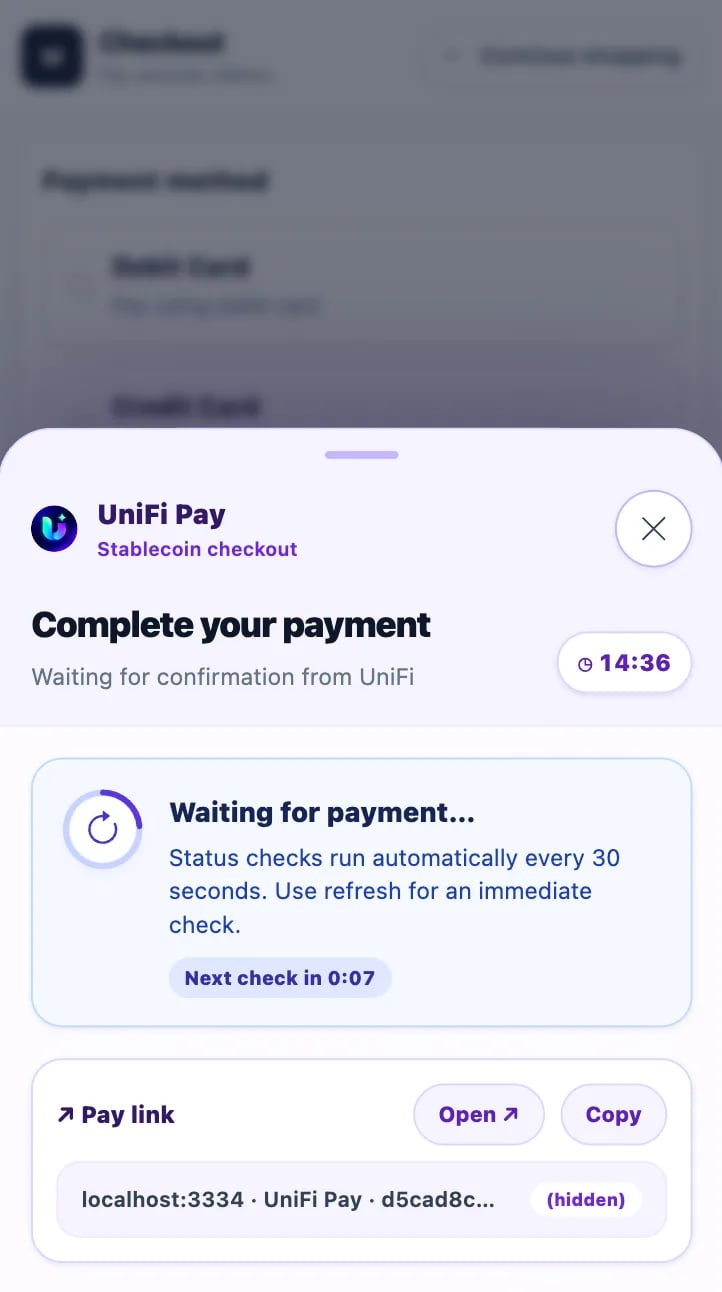
FliQ Market waiting for UniFi payment confirmation with an automatic status countdown, refresh control, and pay link

Show the automatic countdown while keeping the pay link and immediate refresh available.

7

Follow finality

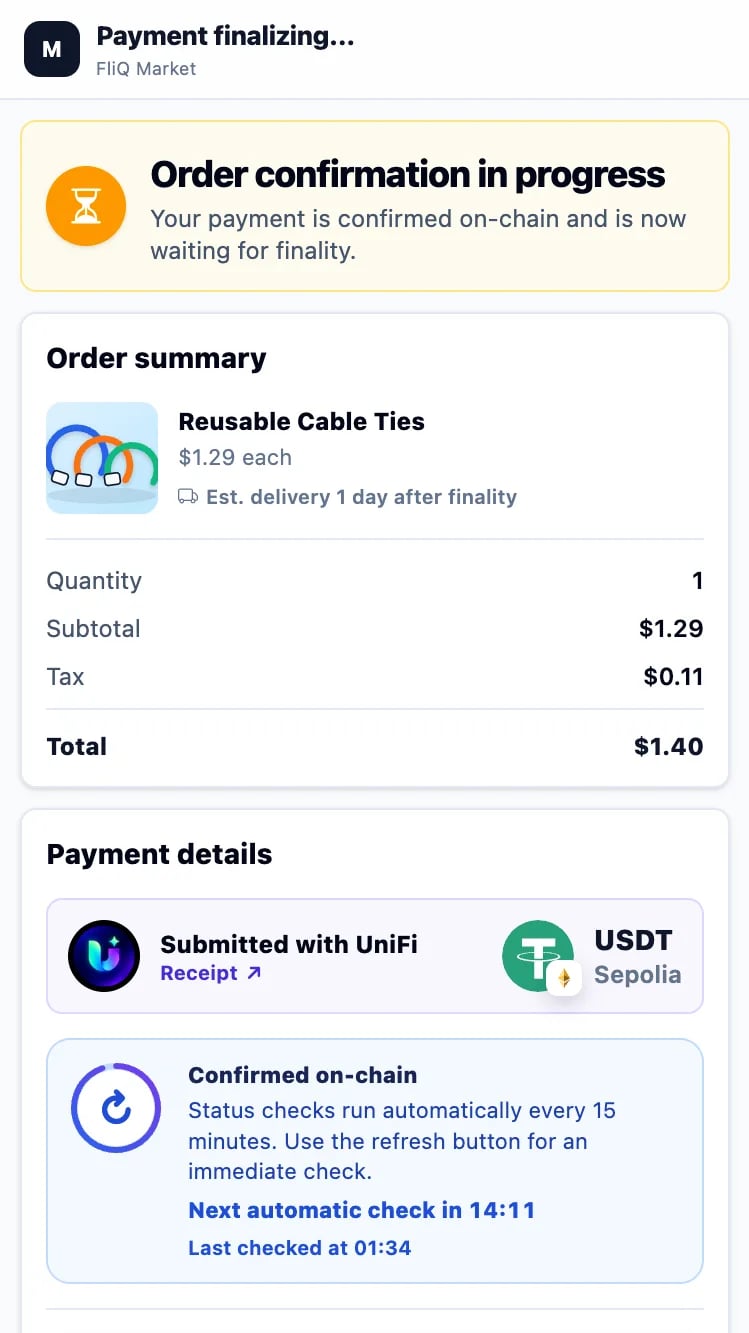
The first successful session lookup returns a receipt ID, not proof of finality. FliQ Market checks that receipt immediately and keeps the order unconfirmed while the on-chain payment is Processing or Confirmed.
FliQ Market order confirmation in progress with on-chain confirmation and finality status

Show the confirmed on-chain payment while the order waits for finality.

8

Keep the receipt

UniFiReceiptLink keeps the receipt reachable from the merchant experience. The UniFi receipt records the transfer, blockchain reference, and finality state.
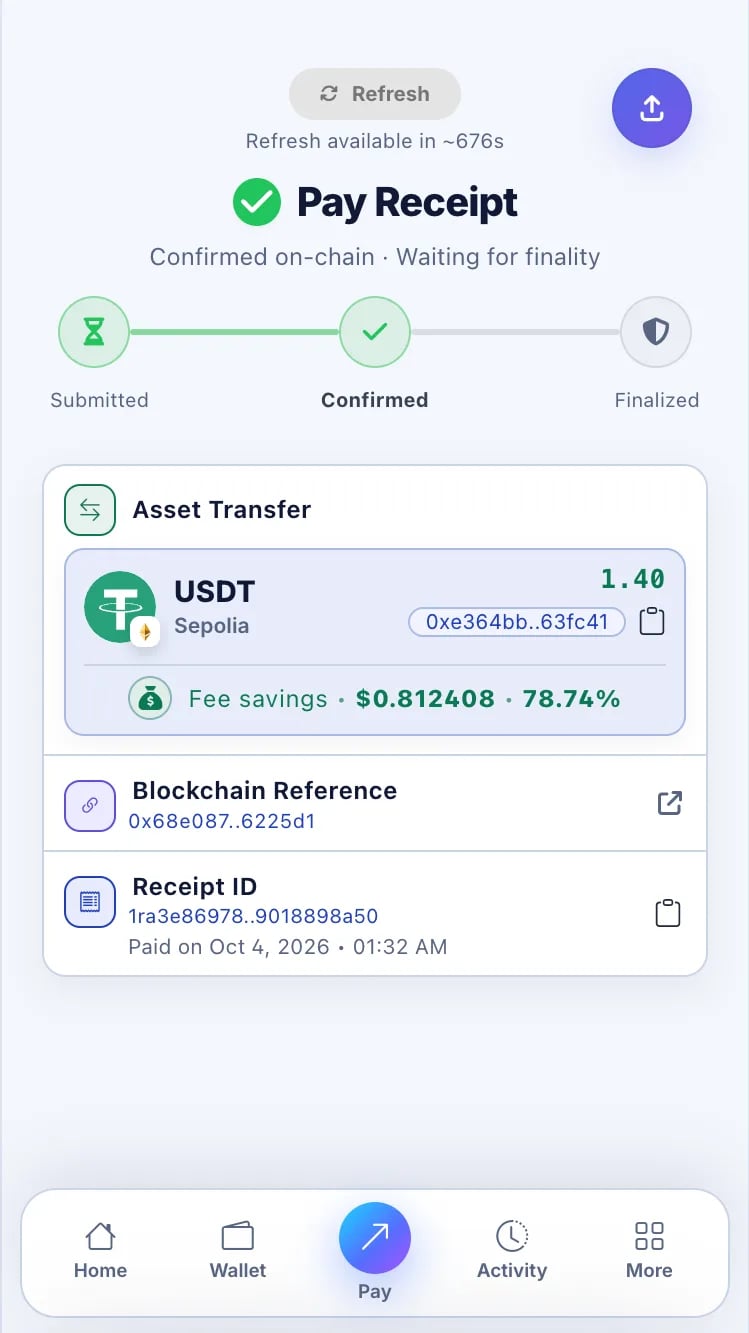
UniFi Pay receipt showing the transfer, blockchain reference and confirmation progress

Retain the UniFi receipt and its confirmation progress.

9

Track the order

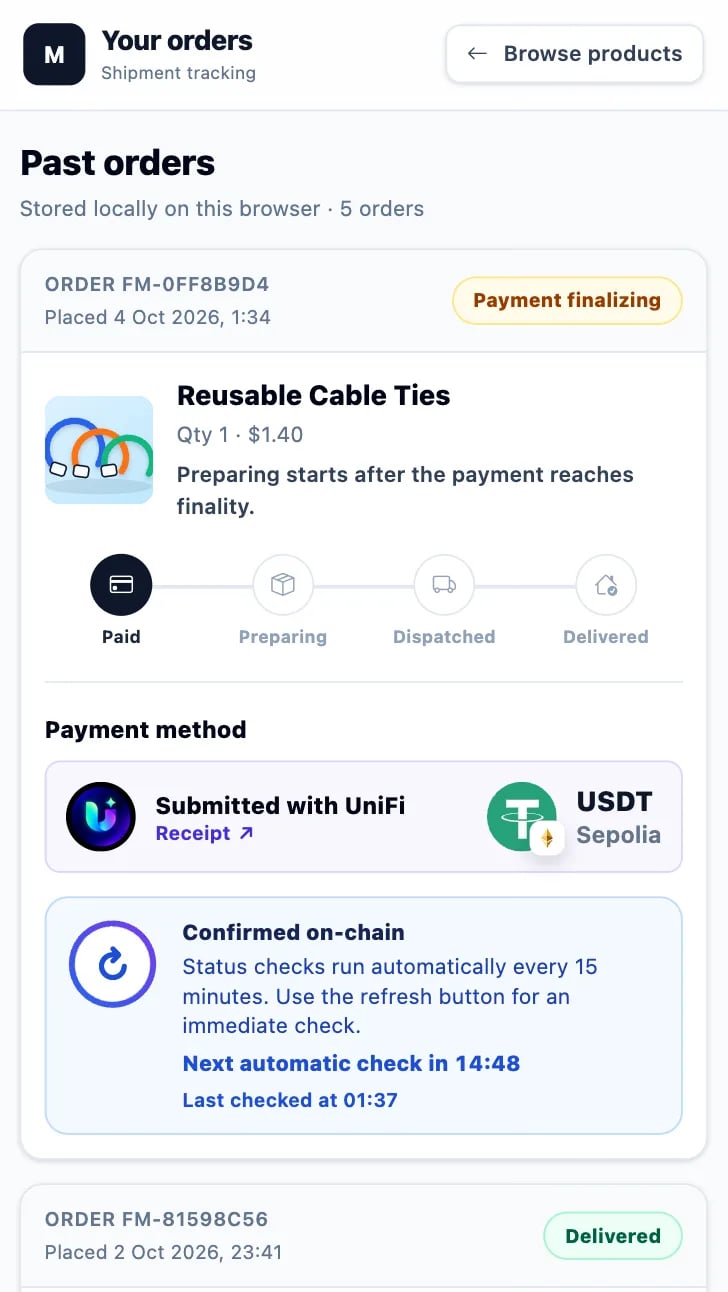
FliQ Market persists the demo order in the browser and carries the payment state into its order and delivery timeline. Pending UniFi orders resume receipt checks when the Orders page opens.
FliQ Market orders page showing payment finality and shipment tracking

Carry payment state into the merchant order and delivery timeline.

10

Dispatch the order

Only Finalized confirms the UniFi payment. The demo then moves the order into preparation and, after five minutes, marks it dispatched with an estimated delivery date.
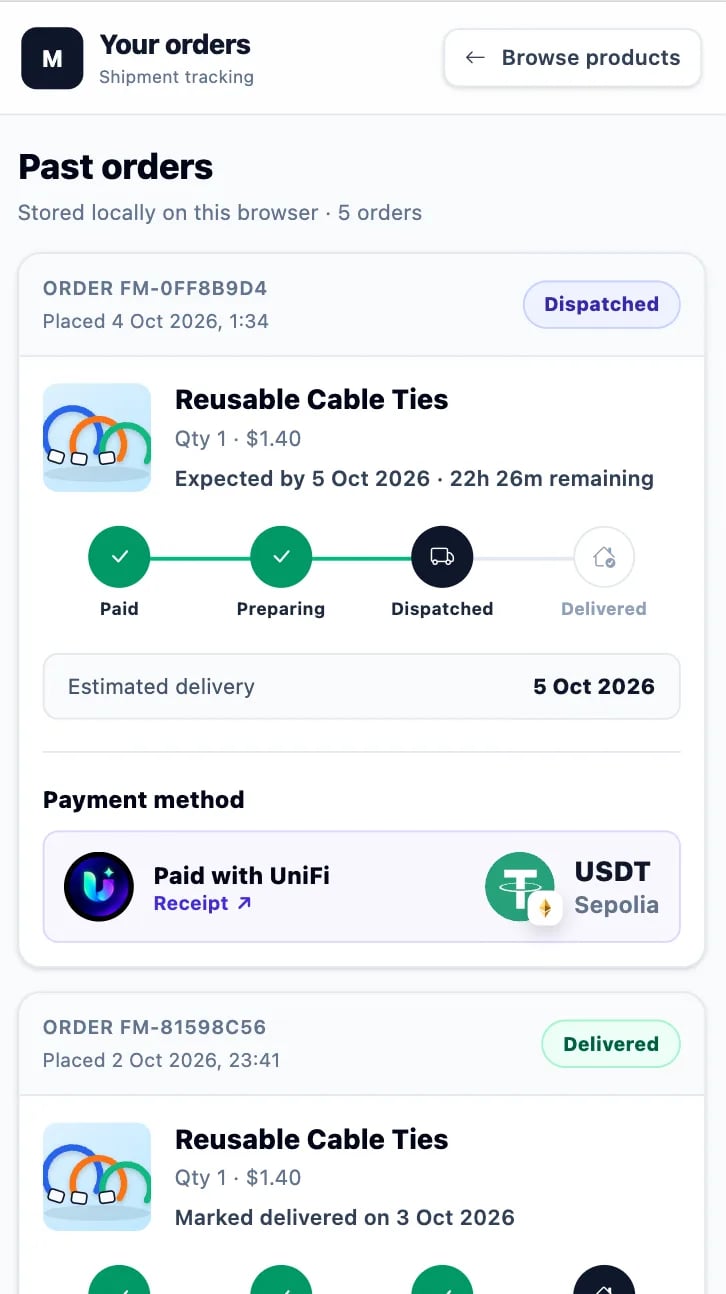
FliQ Market order marked dispatched after the UniFi payment finalized

Move the finalized payment into fulfillment.

Receipt finality states

  • Processing — Payment submitted; the order is not confirmed;
  • Confirmed — included on-chain and waiting for finality;
  • Finalized — payment complete and the order can enter fulfillment; and
  • Failed or Reorged — unsuccessful terminal state, so the order remains unconfirmed.
While finality is pending, the page checks again every 15 minutes to conserve API credits. A refresh icon lets the customer request an immediate check without waiting for the next automatic interval. Terminal states remove that action because no further status check is needed.

Integration map

Configuration boundary

FliQ Market uses one Cloudflare Pages Function for two responsibilities:
  • GET /api/config returns the public MERCHANT_WALLET_ADDRESS, optional PAYMENT_STATUS_POLL_INTERVAL, and optional local checkout override; and
  • /api/unifi/payment/merchant/session/:sessionId delegates to the widget’s narrow server proxy, which reads UNIFI_API_KEY only in the server runtime.
PAYMENT_STATUS_POLL_INTERVAL is optional and public. FliQ Market accepts a positive whole number of seconds such as 30, 60, or 120, returns it from /api/config, converts it to milliseconds, and passes it to the widget as statusPollIntervalMs. An unset or empty value preserves the manual Check payment status flow. The API base URL and web-app base URL are optional UniFi admin/local overrides. Leave them unset in a normal merchant production deployment.

What to copy—and what to replace

Copy the integration boundaries: public recipient configuration, server-only API key, shared widget components, session persistence, same-origin status checks, and receipt reconciliation. Replace the demo commerce layer with your own trusted catalog, pricing, tax, inventory, order, fulfilment, and customer-support systems. FliQ Market demonstrates the payment integration; it is not a production order database.

Start your own integration

Install the widget and reproduce the same browser/server boundary in your application.